Update with a browser
Kein Download möglich - APK muss selbst erstellt werden
AAPS is not available to download, due to regulations concerning medical devices. Es ist zulässig, die App für den eigenen Gebrauch zu erstellen, aber du darfst keine Kopie an andere weitergeben! Zu den Details schaue bitte auf die FAQ-Seite.
Bemerkung
In case you want to upgrade AAPS with a browser for the first time : copy your back-up keystore file to your Google Drive. Then follow the Browser Build AAPS procedure instead of this guide. Instead of creating a new keystore, you must select the one you have copied from your computer. This operation will be mandatory only the first time, then for successive upgrades you will be able to follow this guide.
Overview for updating to a new version of AAPS with a browser
In case you experience problems, see separate page for troubleshooting Android Studio.
Export your settings
Exportiere die Einstellungen Deiner aktuellen AAPS-Version Deines Smartphones. Vielleicht brauchst Du sie nicht, aber sicher ist sicher.
Wenn Du nicht mehr genau weißt, wie man das macht, schaue auf der Seite Export & Import der Einstellungen nach.
Update your GitHub repository
WARNING
Browser Build is available from AAPS version 3.3.2.1.
Select Repositories.
Scroll down and select your own AndroidAPS repository.
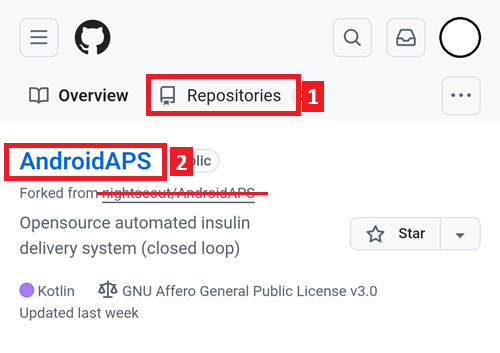
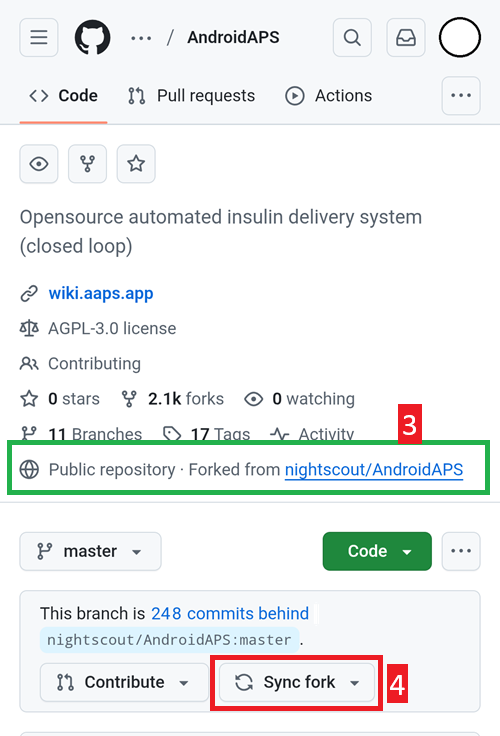
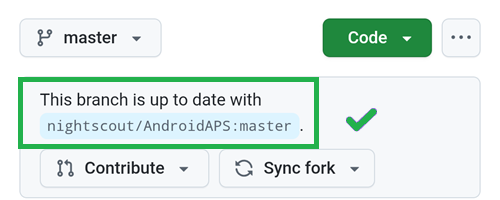
Verify you are using your own copy of AndroidAPS (Forked from nightscout/AndroidAPS)
Tap Sync Fork to update it (the number of commits behind might differ from the picture)
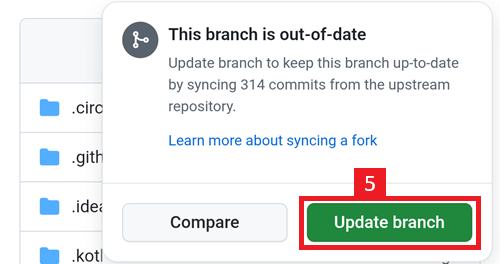
Tap Update Branch
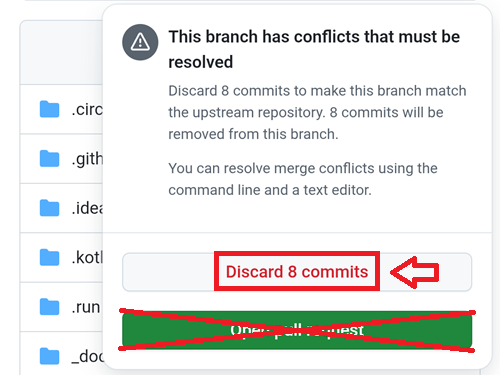
Note: if you have modified your copy of AndroidAPS by mistake, you will see this screen. Discard all changes (commits) to return to the released version.
You have now synchronized (updated) your own copy with the latest release of Android APS. Good job.
Run the Workflow to Build the Signed APK
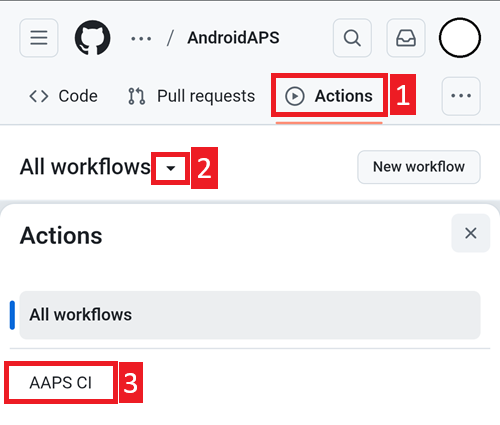
In your GitHub copy of AndroidAPS, select Actions.
Expand All Workflows.
Select AAPS-CI
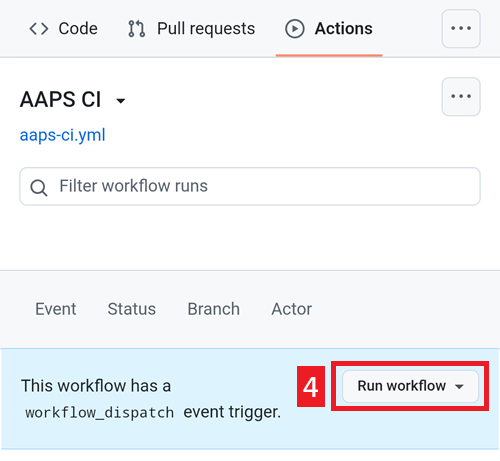
Scroll down and tap Run Workflow.
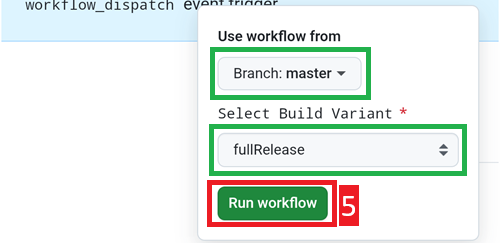
Select the branch you want to deploy (master), the variant (fullRelease) and tap Run Workflow.
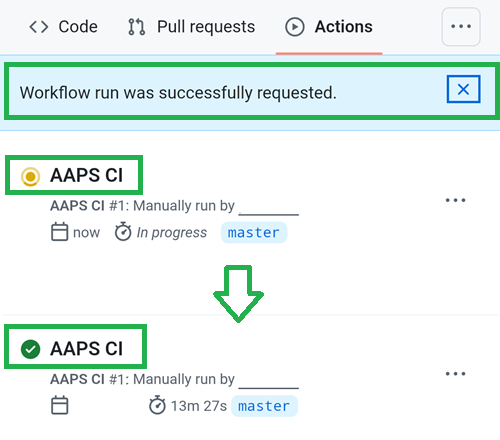
You will see the message Workflow run was successfully requested. Refresh your browser page and you will be able to monitor the build progress. When the action completes, the AAPS CI action will show a green tick mark. You have successfully built the updated version of Android APS. This means that the Master and Wear apk is now directly saved into your Google Drive (as per below). AAPSClient apk can be downloaded from Github > nightscout > AndroidAPS here
Install the AAPS APK
Open your Google Drive
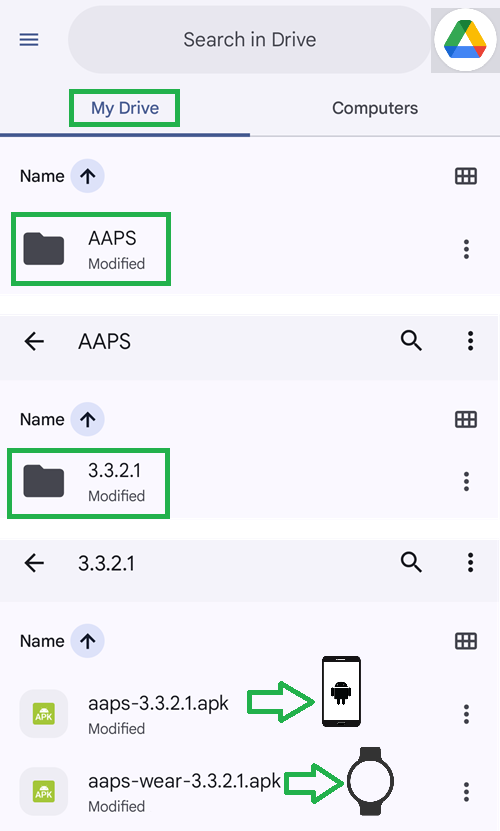
Browse into AAPS, select the new version folder and you will find both the phone and Android Wear versions.
Continue here
Problembehandlung
Keine Panik, wenn irgendetwas schiefläuft.
Tief durchatmen!
Then see the troubleshooting tips if your problem is already documented!
If you need further help, please reach out to other AAPS users on Facebook or Discord.